Friday, March 2, 2018

Becoming the learner

Part of being a teacher is being reflective on how I am teaching, what I am teaching, and how my students are reaching their goals. This week after talking to Sarah Chu about Class Craft, I decided to jump in and start using it with my class. Class Craft is a little overwhelming to understand, but I knew my kids would love it. I think this will help solve my problem of trying to motivate some boys in my class. I explained it to my students Thursday after a day of PSTAAR testing and they were so excited. I knew this was a good thing even though everything wasn't clear to me. I just needed to jump in and try it. I did tell them this is new to me, so please be patient.  Today students created their avatars and as a class we decided on positive behaviors & consequences or sentences. We officially start Monday. As students left for the day they were saying, "I love this so much! I can't wait for Monday!" What a great way to end the week.

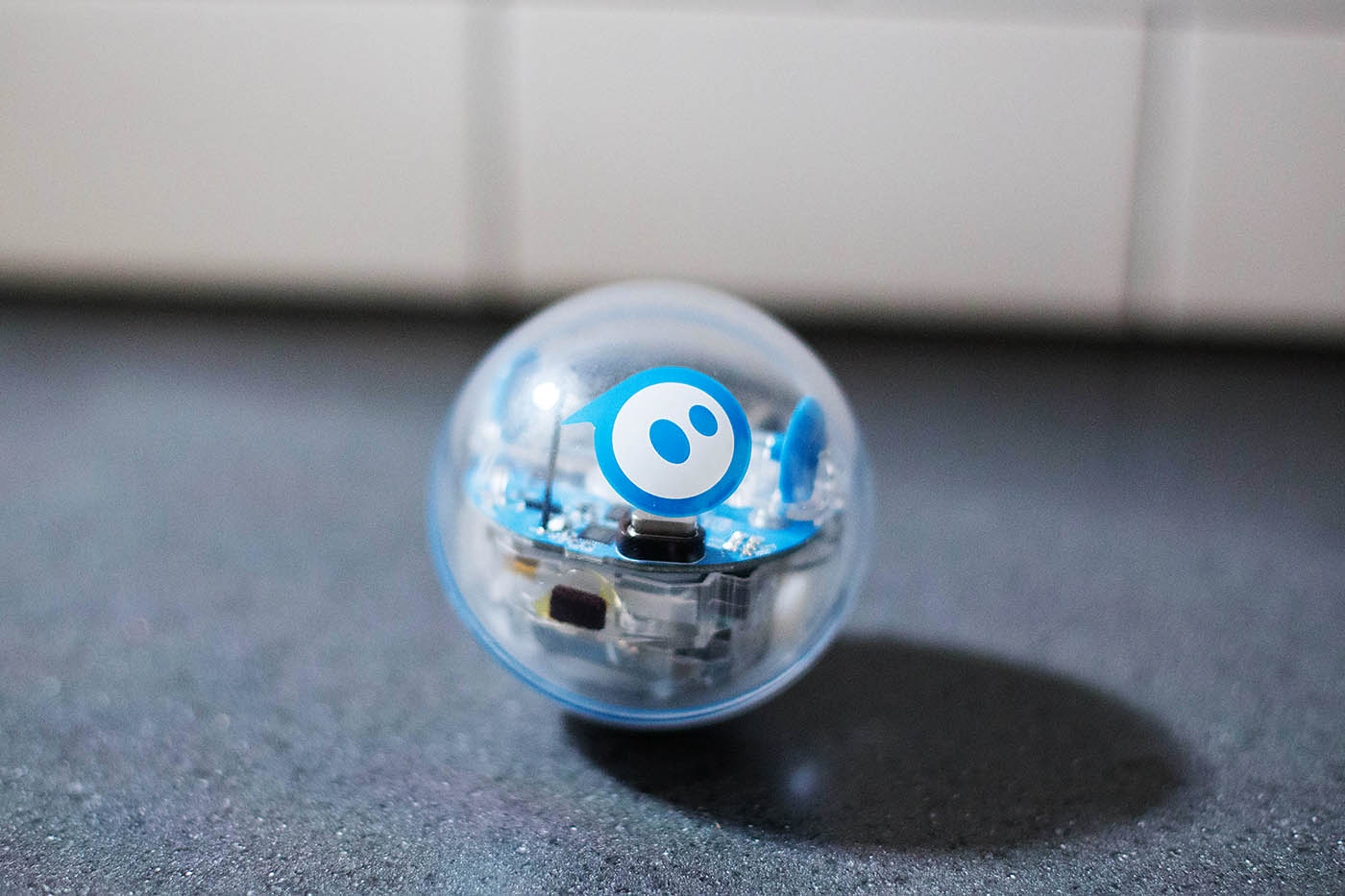
A Sphero has landed in our class this week too. I feel very much out of my comfort zone, but isn't that what I am trying to have my students do when I ask them to take a risk? I introduced the Sphero to my class and immediately excitement filled the classroom. Two students have one at home and many have used one at Bendwood, so they already knew exactly how to use it. One student even showed me how to use it. She was so sweet saying, "Ok Ms. Choy. Now it's your turn. Press this button and see what it does. Good job!" The student and teacher role was reversed. I told her she could be my expert. Immediately students asked if they could earn coding time during lunch. I said absolutely!

Lastly, I asked my students for feedback on our Pathways time. They all agreed I gave them too many tasks! They were being pulled for small groups, so completing their independent work wasn't happening as quickly as they would like. They love the Storyworks readings and Flipgrid responses. Some wanted more choices on how to respond. The best thing about it they like is the independence. They like being able to choose what to complete and not being told they must do x first. Mastery Connect and their reteaching/reviewing resources I have posted in itslearning were big hits with them.
              1st Choice Board                           Revised Choice Board post student feedback


I can't wait to see how next week goes!


Saturday, February 24, 2018

A Differentiated Learning Experience


Something I have been trying to discover is a way to personalize learning for my students. It has definitely been a learning process for understanding the difference between differentiation, individualized, and personalized learning. If you are interested in learning the difference between all three I recommend reading this ISTE article that was tweeted out by one of my Vanguard Fellows.  

I began by testing it out with Linear Relationships. The original thought was students had an agenda that listed the TEKS of the entire unit all in one place. There was a pre-test that would allow students to opt out of the independent practice if their score was above a 75%. However, if their score was below that they would move on the introduction and notes for the TEK and then select one of the options for independent practice. If they were successful with the independent practice they would move on to the post-test and if they weren't successful they would receive guidance from the teacher. Afterwards, they would attempt another independent practice which would then lead them back to the post-assessment. 
He wanted to pass the pre-assessment so much he grabbed the math dictionary to try and discover what slope was.  As a 7th grader he had never seen this vocabulary term before. This was the exact moment that made me realize how great this idea was.

After doing this for the linear relationships unit I asked my students to reflect on their scores as well as how the unit went. Specifically what were strategies and tools I as a teacher provided them that helped or recommendations for strategies and tools they would want that I wasn't able to provide them. Eighty-eight percent of my students wrote in their reflection that the agenda had been one of their favorite learning tools because it allowed them to select their independent practice from a choice menu. I decided my first trial had a good run and decided to try it once again for my Probability unit.

As always you have to reflect and tweak to continue improving teaching practices. I reflected and realized the majority of the independent practices were not hands on and the only technology integration was when students received their first line of instruction through Edpuzzle. So for my second agenda I tried my absolute best to find independent practices in which students would have a more hands on experience. I must admit finding a way to integrate technology into my probability unit was difficult so if you have any ideas please send them my way! With this unit students felt more comfortable with the concept and I made sure to keep my students on track for the due dates. I once again asked my students to reflect and give feedback. The most received feedback on something students didn't like was the pre-test. I decided for my next agenda there wouldn't be any pre-test instead I would have re-test for students who weren't successful the first time on their post-assessment.

Pythagorean Theorem has got to be by far my favorite agenda so far. Since this is an 8th grade concept and I teach 7th grade my students are given about a week and a half to learn the concept. I decided to take a chance and give the third agenda. The difference was since it was such a short unit I made it all online with the awesome help of ItsLearning.

Here is an image of a piece of the agenda that students saw. The top section in colors are the instructions. This unit had 3 TEKS that needed to be taught and for each one of those TEKS students were given 3 options and had to choose 1 for their independent practice.

When planning for this unit I wanted to increase the learning experience and what better way to do so than having students create, write, and reflect. Instead of me assigning a Quizizz, students were given a choice to create them. There was an option where instead of creating a quizizz students had to create problems and reflect on a padlet as to why the three numbers were or weren't sides to a right triangle. Here is the link to that padlet

Here are a few pictures demonstrating the learning experience that has been happening in my classroom. 

Looking at the student screens you can see that although students worked on the same TEKS they chose different assignments.
  
These ladies would brainstorm and problem solve on the dry eraser desks and would then snap pictures of their beautiful mathematical work to upload as proof as their assignment. #LookAtThatTeamWork

Here is some of the products. An expectation for each assignment was to have students explain their work:
One of the options for 1st line of instruction was Nearpod. I absolutely love the drawing tool because as a math teacher it allows me to see the steps students are taking to solve their problems. 


The 2nd first line of instruction was edpuzzle. Here is an example of a student response to one of the questions that paused the video they watched. 


Here is a response given on ItsLearning. Again student explanation is extremely important because it shows me they understand what they are learning. 

There is always something that can be changed and I will continue to do so with the units that are to come. So far this menu has been a great way of differentiating but I definitely am striving to go towards personalized learning.  One of the options given for students was to do a response on Flipgrid, sadly none of my middle schoolers wanted to record themselves so I am going to try and motivate them to do so in the future. If you want to check out what the agenda template that students receive look like click HERE.

If you have any ideas, comments, and suggestions please comment away 😃😃😃

Thursday, February 22, 2018

PL using MAP Skills

Over the past year and a half I've been experimenting with blended learning and, while powerful and certainly impactful, I've always felt that there has to be a way to better personalize my students' learning experience within my blended model. Cue MAP Skills. In full transparency, this is the first week I've implemented MAP Skills so I'm definitely in the "Messy Middle" but I think there's still quite a few gems to be found in the process--check it out below and, by all means, I'd really love feedback, suggestions, or any advice if you have more experience with PL and/or MAP Skills!

Last year, I had the fortunate experience of piloting the MAP Test with my third graders and was sort of "flying by the seat of my pants" when it came to utilizing the data. I came up with what seemed like a million ways to use it to support my SGI but was overwhelmed with the volume of data. Fast forward to this year--when my school had our formal MAP Training the presenter explained that, in order to use the data most effectively, we should look at the topic we're studying as a class (ex. Place Value through 99) and review data from the Learning Continuum to drive our SGI and, possibly, our starting point in that unit. Using the data in this way has been helpful during whole group instruction but, as ample research continually suggests, teaching to the middle of any data set (even to the middle of my class' MAP data) still only supports the needs of a small population. Another challenge I experienced using the data in this way during the fall was that data attained in September was not always representative of my students' knowledge in November, especially, when my student's use Dreambox (an adaptive math software) and are exposed to a variety of math topics everyday that are sometimes aligned with our current unit but can span any topic where they demonstrate a need. As a result, I've started using the MAP Skills component in 2 ways:

1. Whole Group On-Target Content
Again, my students took the MAP Test in January. Currently, we have been working on Place Value through 99. My students have been practicing comparing numbers through 20 on Dreambox, through work stations and during their flex grouping time and, as a result, many of them have demonstrated major growth in this area. Therefore, before I began my dive into this topic, I assigned each of them a "Mastery Check" through MAP Skills as a pre-test. This was AH-MAZING. 10 questions, with audio, that were adaptive and started at a "1st grade level" on the skill of "comparing numbers using the <,>, and = signs through 120." Check out the data I received below: Any student with a green "M" means they've "mastered" it, students with an orange "NW" mean they "need work." As with any multiple choice test, there are students who are "good guessers" and those who struggle with test-taking so, after comparing the given data to any other data you may have on the topic (anecdotal, SGI, previous MAP administrations, etc.) if, for any reason, you don't feel as if the students' results are reflective of their current ability, a simple tap on their colored "M" or "NW" lets you change their color/status! From here, I was able to go to the "Skills Locator" in MAP Skills and assign another quick (5-10 mins) adaptive assessment with an audio option that pinpointed the specific skills each student needed to work on within the strand. After reviewing this data, I was able to craft differentiated small groups for my current content lesson that had clear goals and helped me to ensure that every student was genuinely working on "just-right" content. Definitely my favorite math lesson yet because I truly felt as if every student was successful--#classroomwins *teacher tear*. Now, once I feel as if anyone who was listed as "NW" receives the instruction they need to be successful, I can administer the "Mastery Check" again and get immediate feedback!
2. PL Station in BL Station Rotation
In the past (as in, last week) my blended learning (bl) station rotation included a "personalized" station where students used Dreambox. While this is an adaptive resource & I can assign topics to students, MAP offers very specific goals that did not always mesh well with Dreambox's assignment options. Additionally, if you remember from above, I have always known how powerful the personalized data in MAP is but never felt like I had the time and/or resources to develop a personalized learning plan for each individual student (forever goals). Well, the time has come thanks to MAP Skills. Using the "Student Profile" report in MAP I went through each of my students' data and identified their lowest or suggested focus area (that we have covered thus far). Then, I individually assigned each student a "Skills Locator" in MAP Skills based on the focus area they needed to work on. Once they finished, I was able to assign them specific, targeted and curated resources from MAP that both give them instruction and practice opportunities on the skills that the "Skill Locator" identified they need to grow in within their suggested focus area (see example below): 
Students' "Needs Work" skills in Focus Area & Assigned Resources
After completing a "Skills Locator" Assessment--Assigning Resources

Student Goal-Setting: 
One of my struggles this year has been, "How do I meaningfully convey MAP data to first graders?" and "How do I support each student in their personal learning journey after we review their data & set goals?" MAP Skills has made this possible for me because I'm able to say, "Here's how you did, here's where we want to be in May, here's how I think you can get there." Below you can check out a picture of my super non-fancy MAP Data Tracker that I worked on with one of my students during her recent goal conference. Following that there's another picture of a, once again, super non-fancy Google Form I co-completed with her at her goal conference to identify what her goal is during her PL math station in the coming days. Additionally, we also reviewed the resources and talked about why I assigned each to her, how to use each resource and how they're going to help her meet her goal. Because MAP Skills uses similar resources for each strand, I also feel like I'm able to more deeply personalize for my students and encourage them to be reflective learners. After they've completed their "Mission," on the "Journey Planning Sheet" below, I ask them to think critically about which resource really supported their learning so I can make sure I give them similar resources in the future. 


Glows: I can't tell you guys how excited to work on their "Missions" at the "Journey Station" my students are everyday and, in one week, how excited they are to have goal conferences and show me their progress. Today, one of my FIRST GRADERS ASKED ME FOR A "MASTERY CHECK" so she could prove she's ready for another "Mission." You can find the MAP Skills platform above your "Reports Cue" in your MAP Teacher Dashboard--happy personalizing! (And, again, would love love love you to drop some feedback after reading--pretty please)

Amazing Day

screenshot
Jungle screenshot
Amazing Day  
My 8th grade students got to see the potential outcomes of our  Virtual Reality programming experiment today. The students have been learning to create and program a virtual world designed to help students in other grade levels with academic subjects. 
Today we got to sample our first two groups' projects. One group created a jungle environment to tour. The second group created a forest where visitors search for the letters of the alphabet and grab them.
The students had so much fun actually viewing the worlds they created on our VR headsets and literally walking through their projects! Everyone wanted a turn!

setting up VR headset
Getting the project in the VR headset

students walking with VR headset
Touring the jungle


Tuesday, February 20, 2018

Mega Giant Desmos Assessment

At the end of the first semester, I had my Calculus AB students complete a three day assessment via Desmos Activity Builder, information on how I designed it and the data I was able to collect:

http://infinitesums.com/commentary/2017/mega-giant-desmos-assessment

Playlists for Projects are so fetch!

Playlists are so fetch!!!

Our science students are working on a lengthy project that has 5 steps. 
They are to research an ecosystem, create a poster or 3d model to present their info and record a video explaining what they have made and researched. They also must write a script to prepare what they will say in the video.

We created a playlist for them that used the "page" tool with information for each step. 

The playlist allows students to click the buttons that directly to take them to information they need for each step. So if they are on Step 2, they click directly on to Step 2! BOOM!

We added this graphic to the dashboard for students to see an outline of the steps.
This is the dashboard view. Playlist seen with buttons underneath.

Step 1: Research for Information.
This page shows journal set up and topic choices. The topic choices double as links to credible websites for research. I later added a content block, "Need Help" with clarifying info. 


Step 2: Create a poster or 3D model.
This page provides students with directions, poster samples, a rubric and a self evaluation link.
After they have created their poster the self evaluation is a google form that follows the same scoring as the rubric. Students rate their own projects and adjust as needed.


Step 3 & 4: Students write a script and rehearse lines for video.
This dashboard provides students with directions, rubric, and another self evaluation form.
Students are also given a google doc that provides them with an outline of a script. Once their script is completed students are given a printout from the teacher so they can rehearse what will be recorded in their video.


Step 5: Students record their presentation and post to Flip Grid.
The last page provides a link to Flip Grid where videos are recorded a video rubric.


Teacher track group progress:
Behind the scenes I check in with students and keep this spreadsheet of their progress and needs. There are multiple tabs across the bottom for each class period.


Student's in action:


Work in progress:
Some students brought a shoe box from home and bought their own supplies.
Other students were creative with posters and construction paper provided in class. 


This student built a box out of poster.

BONUS! This student asked to create her own ecosystem.


Closing the activity...
Still in progress.. Maybe students will watch a few flipgrid posts and provide feedback for their peers? Perhaps they will fill out a matrix of 3-4 ecosystems and listen to the information?
To be continued. :)

Monday, February 19, 2018

Creating Nearpod for math on area & perimeter

Since Amy Houser has given us license to use the full version of Nearpod, I've been staying up all hours of the night creating math units using Nearpod! I love it. Its addictive and I'm loosing sleep but loving it. I like how they give me a report at the end of the lesson to see what students have done.